
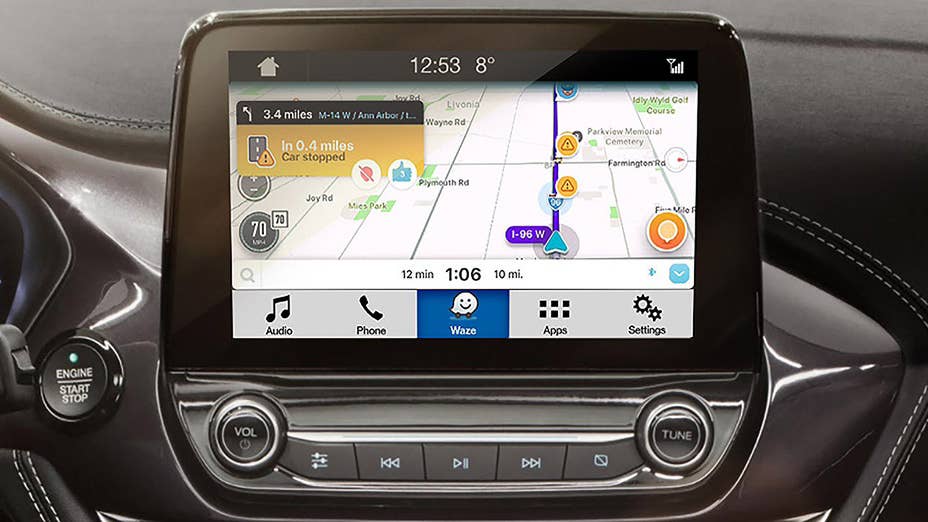
One of the developments we’ve most appreciated in this new age of touchscreens and complex infotainment systems is phone integration in the form of Apple CarPlay and Android Auto. Being able to use those simple interfaces natively on the vehicle screen is fantastic. Now Ford is adding the navigation app Waze to the list of applications that work this way. This means that maps and other information will display on the car’s screen, with the various functions controlled by touch. You will also be able to use the car’s voice controls to operate Waze.
As for why you might want to use Waze, the app displays real-time traffic conditions and directions like many other navigation apps. But it also lets users add information from trips, so you can see information on construction, road hazards,
speed traps and gas prices from one app. Besides that, it can be nice to have an option for navigation besides the ones provided with the car or the phone.
Waze compatibility will only be available on Fords equipped with Sync 3 version 3.0. New Fords will already have this, and older Fords with Sync 3 will just need a software update to access the new feature. Using Waze on the infotainment screen also uses Ford’s AppLink system, which only works with iOS devices. Android users shouldn’t despair though, since
Sync 3 also supports Android Auto,
which already allows you to use Waze on the car’s screen. So now you can pick from Ford’s navigation, Apple Maps, Google Maps, or Waze for your navigation needs.
Related Video:
Video ID:
5381cfee-72c1-3457-81eb-a50a43d5f0c5
Playlist ID:
Autoplay:
false
Mute:
false
Continuous:
false
Ad Key:
Ad Value: